![logo-grunt.svg]](https://support.grunt.pro/hubfs/website%202025/logo-grunt.svg)
By adding users to your company's space in the cloud template library, they will be able to see and make use of templates you've uploaded for use internally.
Follow the steps below to grant access, for example to folder within the company area in the Grunt Library.
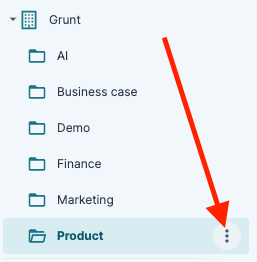
1. Click the three dots next to the location you want to add a user to
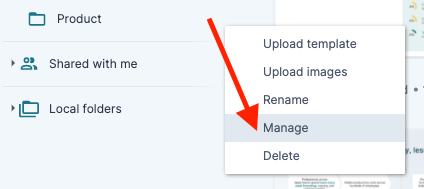
2. Click "Manage"
3. Enter the e-mail address of the user you want to grant access to, and choose to add them as a viewer, editor or admin.
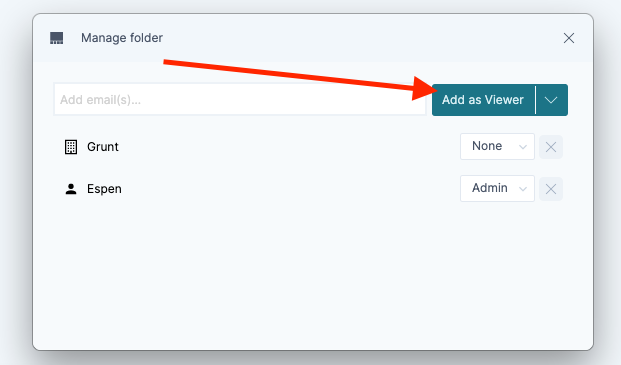
Viewer role can view and insert templates into presentations
Editor role can add and delete templates to the cloud templates library
Admin can do all of the above, as well as give access to the location in the library to other users