![logo-grunt.svg]](https://support.grunt.pro/hubfs/website%202025/logo-grunt.svg)
With Grunt's dynamic layout engine, you can create both complex and simple timelines with project milestones and tasks directly on the slide without need of separate tools or complex programs.
The Gantt will automatically resize and shape itself around the content you put in. This means that entering text over several line-breaks will adjust the height of all rows automatically for instance, ensuring a cohesive look.
Timelines are built using actual calendar dates and update automatically, ensuring that stakeholders always see the most current version of a project plan. This helps present complex project data as clear, easy-to-read timelines that support communication and decision-making.
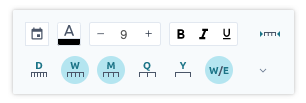
By clicking on the time/date axis, you will get a toolbox which enables you to do basic formatting, but also give you the ability to enable showing the year, quarters, months, weeks and even all the way down to granular dates if you wish to be very detailed in the schedule and calendar.
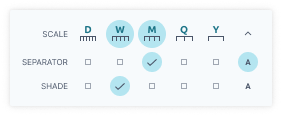
If you expand the time/date options, you will be able to add separators and shading to the Gantt for the different scales to make it easier to visualize different time periods at a glance.
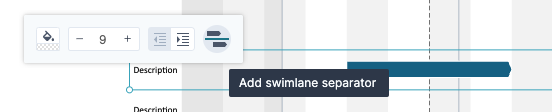
Clicking on the swimlanes gives you a few options like indenting the row and adding swimlane separators.