![logo-grunt.svg]](https://support.grunt.pro/hubfs/website%202025/logo-grunt.svg)
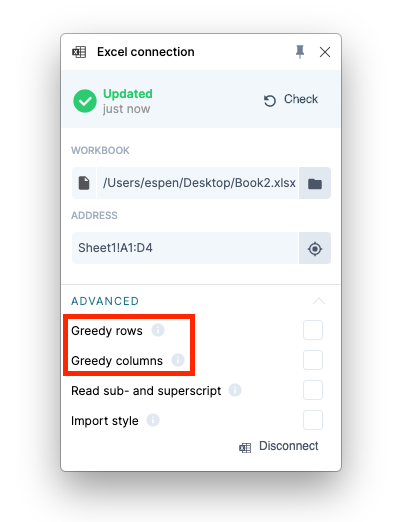
By enabling Greedy rows/columns, your chart or Visual Grid will include all data in your selected range/address in Excel until the first empty row/column.
This is great for datasets which are continuously changing or expanding.
Access this functionality by opening the Excel-connection on the right side of the screen in PowerPoint and expanding the "advanced" section.
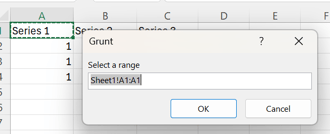 Tip! If you need fully dynamic version of Greedy rows/columns which can adapt to datasets that are contracting and not just expanding, you can set the starting range/address to only be the top left cell of your workbook.
Grunt will then read both rows and columns until it encounters empty ones, and will also contract the read dataset should it at any point contain less rows/columns.