![logo-grunt.svg]](https://support.grunt.pro/hubfs/website%202025/logo-grunt.svg)
For a general overview of Slide Masters in PowerPoint, go here.
Theme Colors
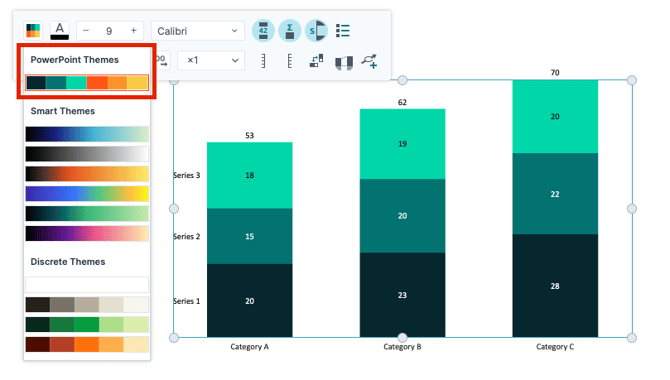
When inserting a chart or other graphic from the Grunt library, Grunt will automatically pull in the Theme Colors from your currently active theme to populate the graph with theme-appropriate colors.
Fonts
When it comes to text and fonts, Grunt uses the body-font of the theme you have applied for inserted elements and objects. Grunt does however not use font colors from the theme, and will instead automatically change the font color to maximize and ensure readability with a white font-color on darker backgrounds, and black on light backgrounds.
Placeholders
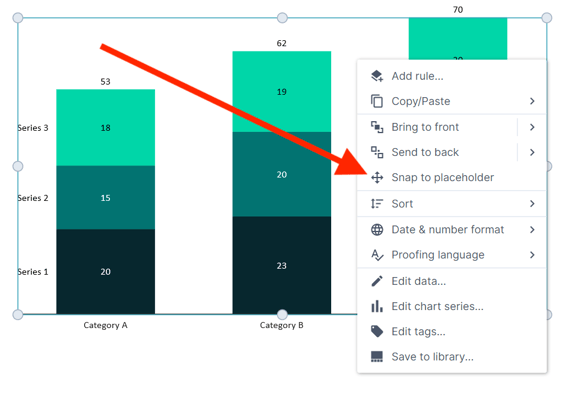
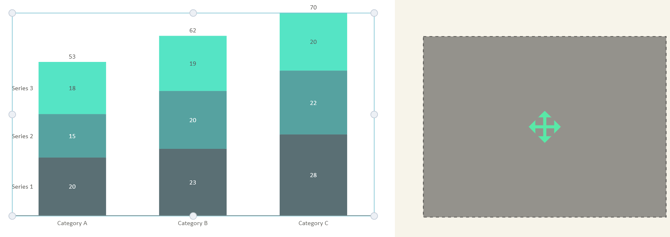
With Grunt-objects, you can right-click and use the "snap to placeholder" functionality to easily place charts and other graphics exactly where they belong in the template you're using.
The chart will snap to- and resize to fit within the placeholder box you click on after.