![logo-grunt.svg]](https://support.grunt.pro/hubfs/website%202025/logo-grunt.svg)
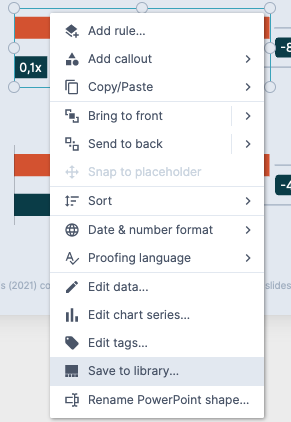
Save to library
To add to your company library, right-click any Grunt object or slide and click "Save to library".
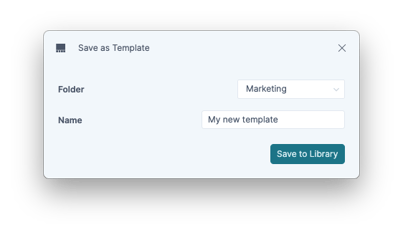
This will give you the option to choose what folder in the company space to save the object/slide to.
Inserting from Library
Using the Content Library is as simple as finding the folder and template you want to use and inserting it into the presentation you're working on.
If a template contains more than one slide or object, they will all be inserted in order after the slide you have selected prior to opening the library.
If you want to insert more than one template or slide-collection, simply select everything you need before clicking "insert".

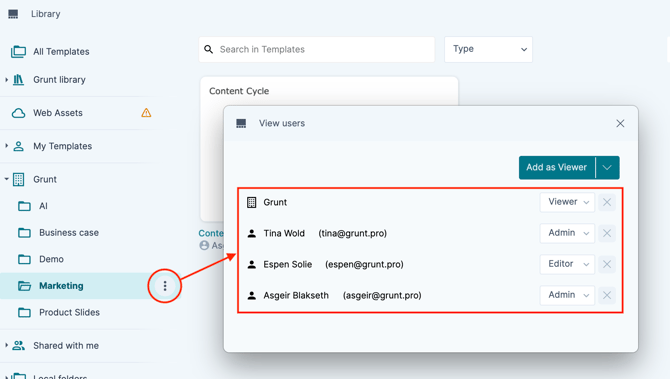
If you want to check who has permissions to add templates to a workspace you can click the three dots next to a folder -> "View users". This will bring up a window showing who you can get in touch with if you need something added to a workspace.
If you are a workspace administrator/editor, check out this article for steps on how to add content to the workspace.